
Overview
Escalation factors are conditions that can reduce the effectiveness of controls in a BowTie model. Managing escalation factors is important to ensure that controls continue to perform as intended and risks remain properly managed.
What Are Escalation Factors?
An escalation factor is something that can:
- Weaken a control
- Cause a control to fail
Example:
- A safety system exists (control)
- Lack of maintenance reduces its effectiveness (escalation factor)
Why Escalation Factors Matter
Even if controls are defined:
- They may not always work as expected
- External or internal conditions can affect them
Escalation factors help identify:
- Weaknesses in control systems
- Additional risks
- Areas requiring further attention
More details on Escalation Factors can be found on the page “Escalation Factors in BowTie Explained”.
Adding an Escalation Factor through the Diagram
- Open BowTie Pro
- Go to the Hazards screen
- Select the red circle
 to the right of the bowtie that needs to be updated.
 - This will now display the hazard diagram screen
- In BowTie diagram:
- Expand the diagram to the control that you need to create the escalation factor
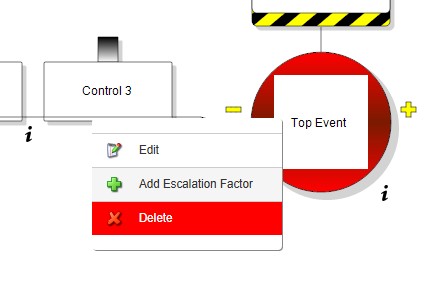
- Left click on the control
- Select the “Add Escalation Factor” option
The escalation factor entry screen will be displayed. The description is mandatory. If supporting documents are enabled, supporting documents can be added if required.
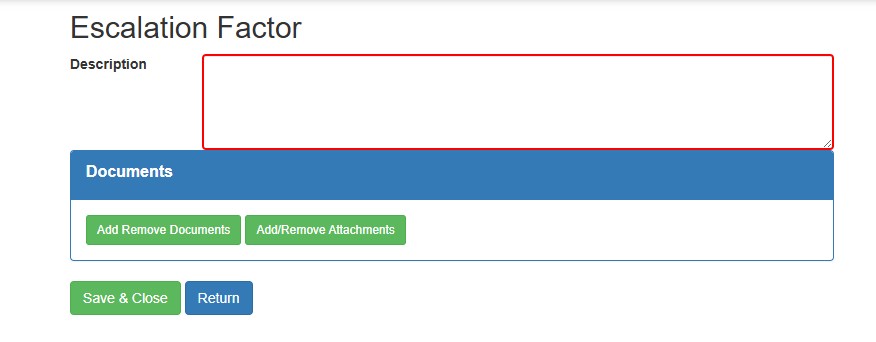
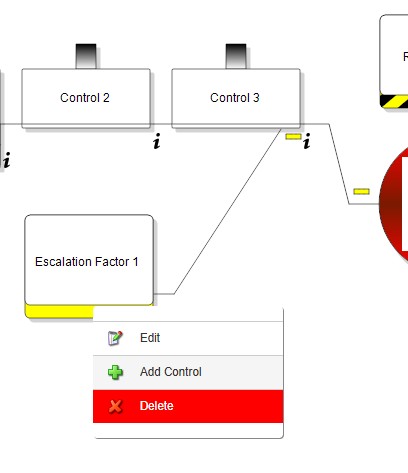
- Click on the Save & Close button and the item will be added to the diagram.
- From here controls can be added for the escalation factor or the escalation factor can be edited.
Managing Escalation Factors through the Hazard Overview
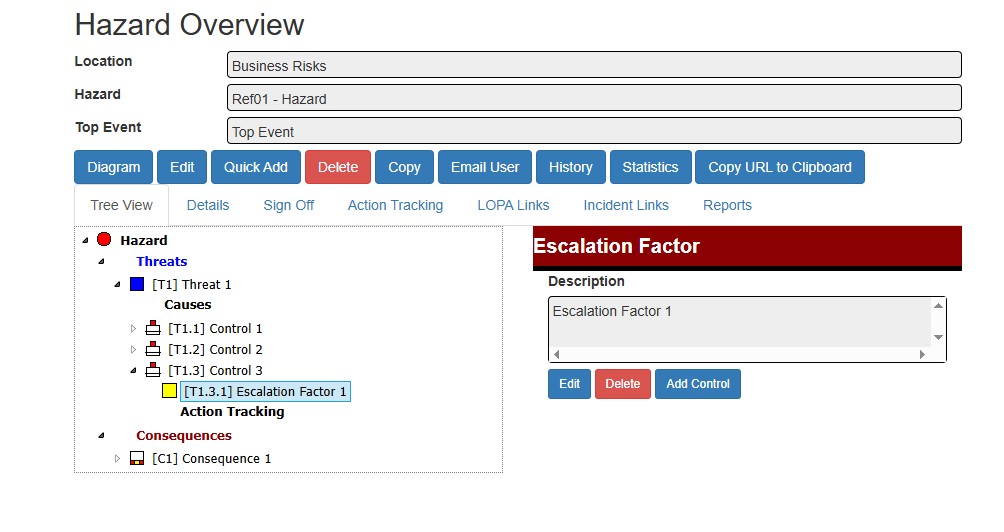
From the Hazard Overview screen the escalation factors can also be added or edited.
- Open the Hazard Overview screen
- Expand the tree to the appropriate control
- Click on this control
- Click on the Add EF button to add
- Select the escalation factor you wish to modify and click Edit
Summary
Escalation factors help ensure that controls remain effective under real-world conditions. By identifying and managing these factors, you can strengthen your overall risk management strategy in BowTie Pro.