
BowTie Pro uses Threat Frequency values in LOPA assessments to estimate how often a threat is expected to occur before safeguards and protection layers are applied.
Threat frequency is one of the core components used in LOPA calculations and directly affects the overall risk evaluation of a scenario.
The frequency value works together with:
- Enabling factors
- Condition modifiers
- Independent protection layers (IPLs)
- Probability of Failure on Demand (PFD)
to calculate the final residual risk.
Using accurate threat frequency values helps organisations perform more realistic and reliable risk assessments.
Accessing Threat Frequency Settings
The Threat Frequency can be either accessed from the LOPA Diagram or the LOPA Details screen.
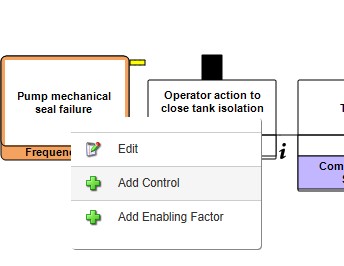
From the LOPA Diagram screen click on the Threat and select “Edit” button:
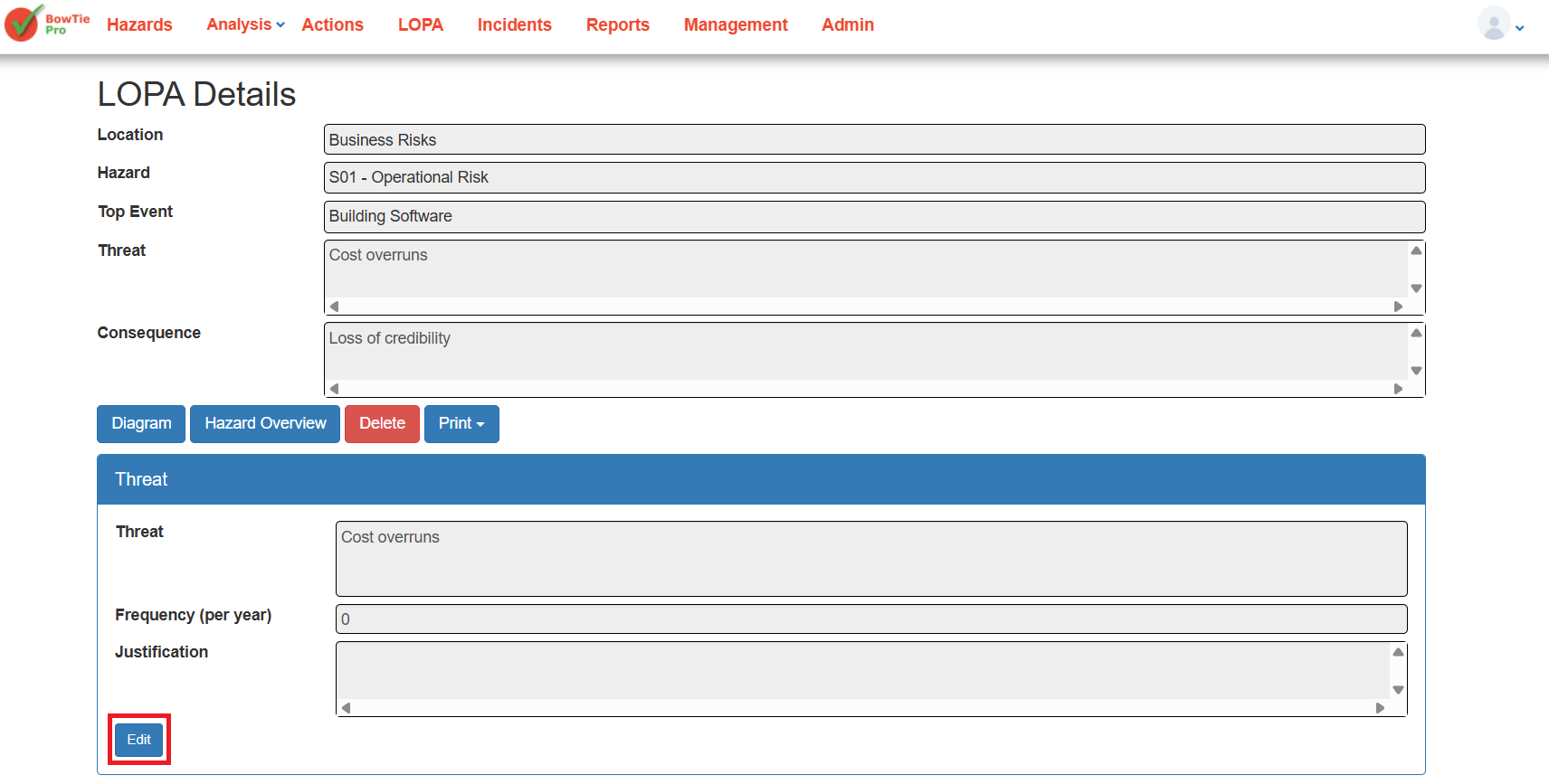
From the LOPA Details screen, locate the Threat section and click on “Edit” button at the bottom left of this section:
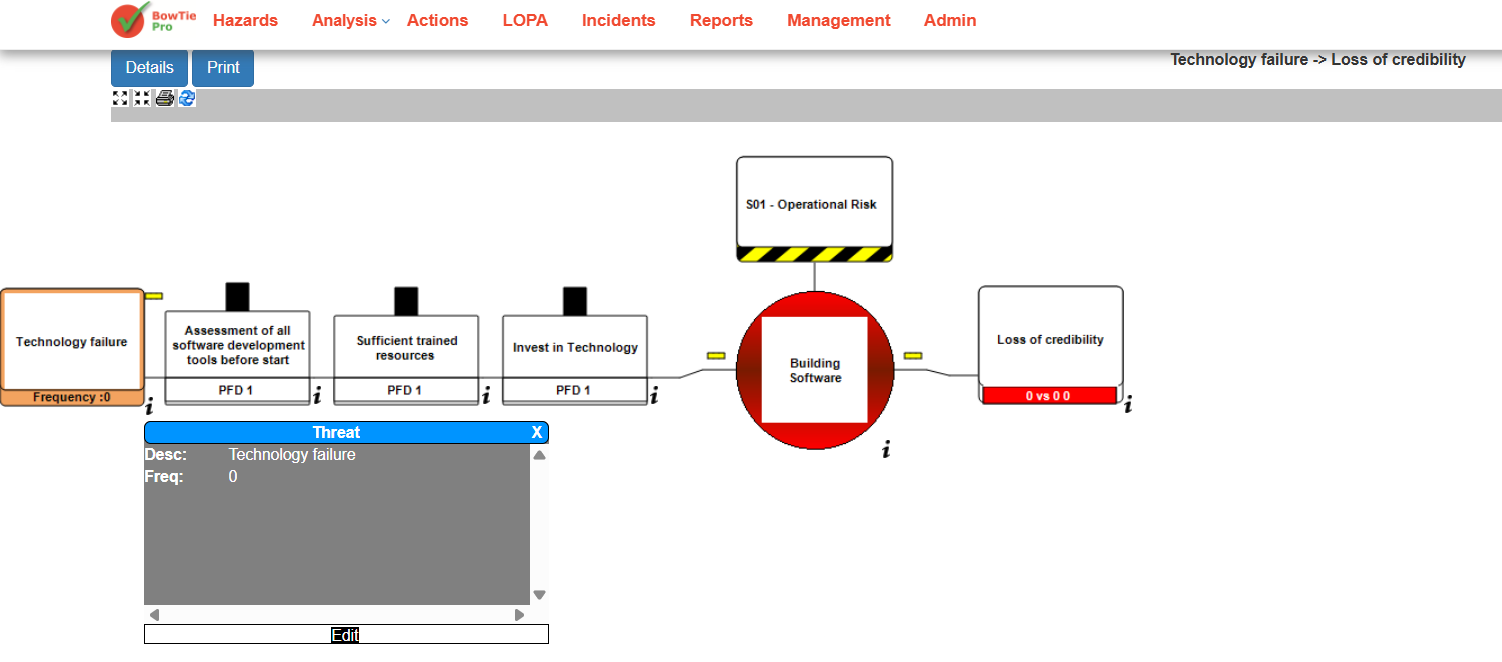
This opens the Threat Details screen where the threat frequency can be configured.
Understanding Frequency in the LOPA Diagram
The LOPA diagram displays the threat frequency directly beneath the threat node.
Example:
- Frequency: 0
This value represents the estimated number of times the threat may occur annually before safeguards reduce the risk.
The displayed value automatically updates whenever changes are saved in the Threat Details screen.
Editing Threat Frequency
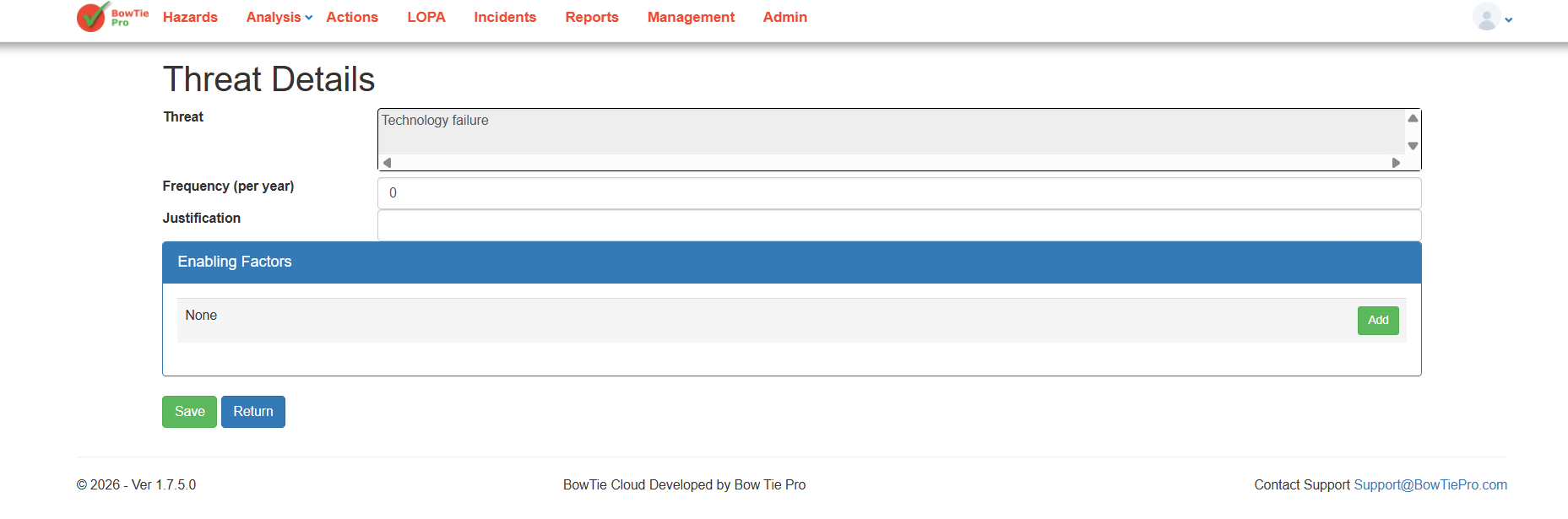
After clicking Edit, the Threat Details screen opens.
The following fields are available:
| Field | Description |
| Threat | Name of the identified threat |
| Frequency (per year) | Estimated annual occurrence rate of the threat |
| Justification | Optional explanation for the selected value |
| Enabling Factors | Additional conditions that increase threat likelihood |
Configuring Frequency Values
Enter the estimated occurrence rate in the Frequency (per year) field.
Examples:
| Frequency Value | Meaning |
| 1 | Expected once every year |
| 0.1 | Expected once every 10 years |
| 0.01 | Expected once every 100 years |
The selected value should ideally be based on:
- Historical incident data
- Industry standards
- Engineering analysis
- Expert judgement
- Operational experience
Using the Justification Field
The Justification field allows users to document why a particular frequency value was selected.
This helps:
- Maintain audit records
- Support compliance reviews
- Improve consistency across assessments
- Provide evidence during risk evaluations
Recommended information to include:
- Data source
- Assumptions
- Reference documents
- Historical observations
Saving Threat Frequency Changes
After entering or modifying the threat frequency:
- Click Save
- Return to the LOPA diagram
- Verify the updated frequency is displayed beneath the threat node
The updated value will now be included in the overall LOPA risk calculations.
Best Practices
To improve LOPA accuracy:
- Use evidence-based estimates whenever possible
- Avoid arbitrary values
- Document assumptions in the Justification field
- Review frequency values periodically
- Align calculations with organisational risk standards
- Validate calculations during risk review sessions
Conclusion
Threat frequency is a foundational component of LOPA analysis in BowTie Pro. Properly configuring frequency values helps organisations produce more accurate risk calculations and better evaluate whether existing safeguards sufficiently reduce operational risk.
Using realistic values, documented assumptions, and properly configured enabling factors improves the overall reliability of the LOPA assessment process.
Next Steps
The next step in the LOPA Assessment is to either review the Enabling Factors or to manage the Probability of Failure (PFD) on each of the Controls: