
While BowTie Pro is centred on BowTie risk management, successful BowTie implementation depends on effectively managing the actions needed to establish, verify, maintain, and continually improve barriers. The Action Tracking module provides this capability, ensuring that BowTie become active tools for managing risk rather than static diagrams.
Action Tracking helps organisations ensure that identified issues and risk-related tasks are managed in a structured, consistent, and traceable manner. The Action Tracking module in BowTie Pro enables organisations to create, assign, monitor, and follow up on actions arising from hazards, barriers, deficiencies, audits, inspections, and risk assessments, ensuring they are completed and fully documented.
For organisations that already use a corporate action management system, BowTie Pro integrates seamlessly through:
- Cloud Edition API for integration with external Action Tracking systems.
- Excel import and export for exchanging action data with other systems.
For customers who prefer an integrated solution, the Cloud Edition includes a fully configurable Action Tracking system. This enables organisations to:
- Create and assign actions of different types using configurable templates.
- Track progress from creation through to completion.
- Send automatic reminder emails.
- Generate recurring actions for routine activities such as inspections, maintenance, and testing.
- Maintain a complete history of action status and completion.
Bringing Bowties to Life
Actions are the activities that bring a BowTie to life. Every barrier shown on a BowTie diagram represents a commitment to risk control. That commitment must be supported by evidence planned inspections, test records, corrective actions, and documented close-out. Without these, the BowTie remains a static document rather than a functioning safety management system.
Actions commonly arise in Barriers and Hazards from:
- Implementation – Put a new barrier in place. An action may be created to confirm that the barrier is added to the system
Example: “Install an automatic fire detection system in the storage area by 30 September.”
- Maintenance – Keep the barrier functioning.
Example: Repetitive Action “To service the fire detection system every six months.”
- Verification – Check that the barrier is working (audits, inspections, testing).
Example: Repetitive Action “To test the fire alarm weekly and record the results.”
- Improvement – Address weaknesses identified during reviews or incidents.
Example: “Upgrade the fire detection system”
BowTie Pro has templates for all these four types of Actions included in the Cloud Edition.
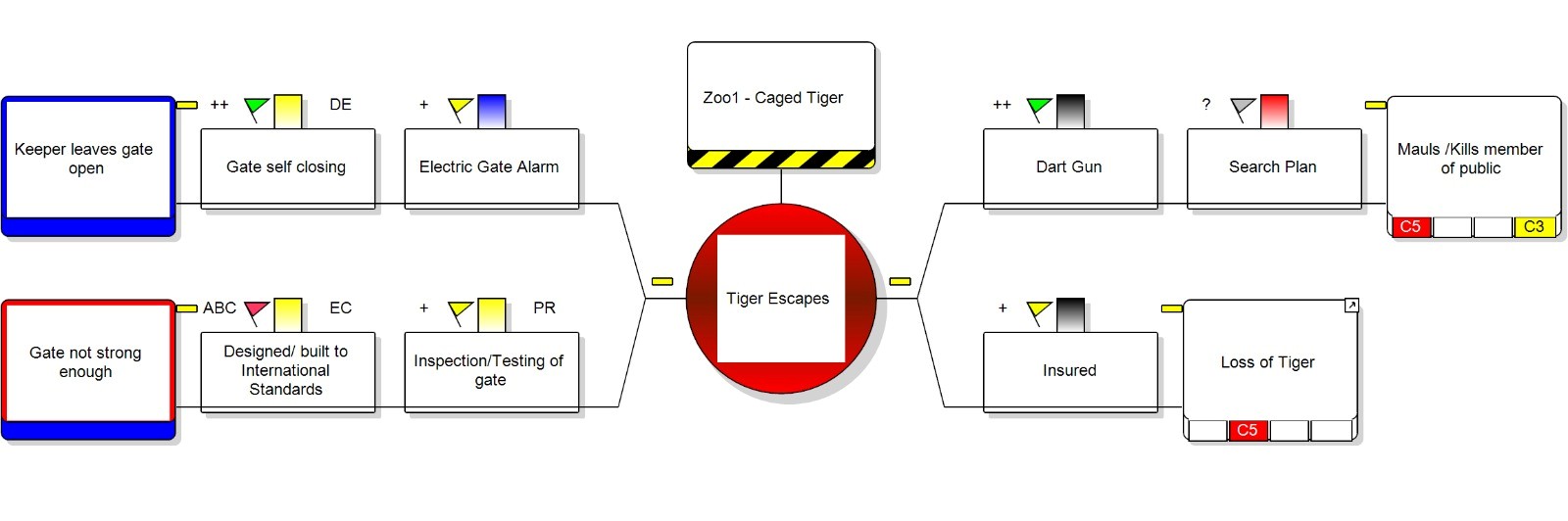
Beyond the BowTie there can also be Actions linked to the LOPA and Incident and Incident module.
All the Actions can be reviewed on a single page within the Cloud Edition.
Key Features of Action Tracking
The Action Tracking module includes several core capabilities.
 |
Action Creation
Users can create actions linked to specific hazards, controls, deficiencies, or operational findings. Actions may include:
|
 |
Action Assignment
Actions can be assigned to responsible users or teams to ensure accountability and ownership. |
 |
Workflow Management
The module supports action lifecycle management, including:
This helps organizations monitor completion progress effectively. |
 |
Deficiency Management
Deficiencies identified during reviews or assessments can be linked directly to actions for follow-up and remediation. |
 |
Board and List Views
Actions can be viewed using:
This provides flexibility for different operational and management needs. |
 |
Progress Monitoring
Users can monitor:
|
This helps improve operational visibility and follow-up management.